

EraPOS keeps a queue of the technicians clocked in today and counts a turn each time one of them finishes a service, so walk-ins are shared out fairly. The queue is on the Service Board, and every turn is recorded on the TURNS tab.
Background
In a walk-in salon, everyone should get a fair share of clients. EraPOS does the counting: technicians line up in the order your store's turn rules decide, the front desk starts the next ticket with the technician at the top, and each finished service adds to that technician's turns. Turns start again from zero each day.
How it fits together
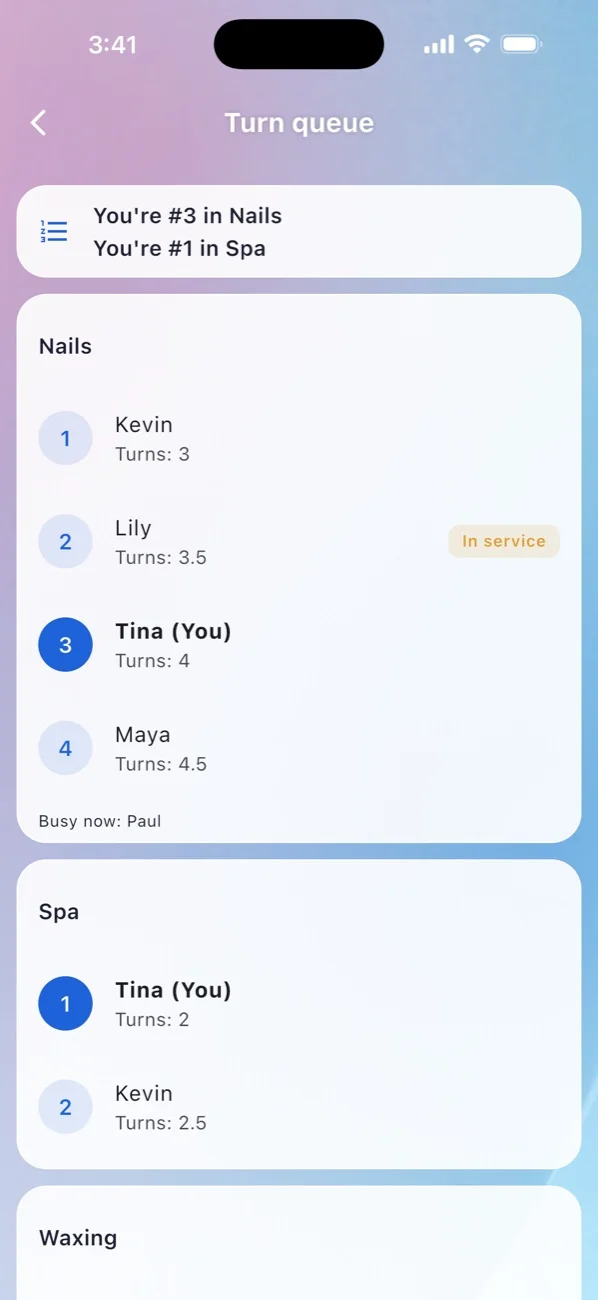
- The queue. The left side of the Service Board has a tab for each queue group; a new store has one, called Main Queue. A technician joins it when they clock in, if Queue is turned on under Assign to in their employee record and they belong to that group. Each tile shows their place (#1, #2 and so on). Tap a tile to start a ticket for that technician.
- The order. Your store's rules decide it: by clock-in time (the standard), by fewest turns or lowest sales, or first come after their last service. Round rules can make sure everyone has a turn before anyone gets a second. Depending on the rules, a technician busy with a client leaves the queue until the service is done, or stays listed.
- What counts as a turn. A turn is earned when a service on the technician's ticket is marked done. Each service has a Turn Value in your menu, and services with Do Not Count Turn earn nothing. Depending on your rules, EraPOS measures the service price, its turn value or the number of services, and a turn level converts that into turns, so a big service can count more than a quick one. Half turns are possible. Products, returns and voids never count.
- The TURNS tab. One row per technician, with a Round chip (turns taken today) and a Turn chip (their total). Each cell is a turn: a finished ticket shows its turn value, number and total, and a ticket still in service shows its start time. L marks a turn added by hand, and A an automatic adjustment based on clock-in time, when your rules use one. Tap a cell to see that ticket's receipt.
- Adjusting the queue. Press and hold a technician's tile to open the TURN menu: Add Late Turn and Remove Late Turn, Add Go Again (their next ticket earns no turn) and Remove Go Again, and Move to give them another place. Fix Position (keep this slot all day) keeps them there; otherwise the move ends with their next ticket. These actions need the right permission.
- Chosen tech or any tech. On walk-in tickets, a client who asked for a technician and one who took anyone count the same. Appointment tickets count differently by type (Chosen Tech, Any Tech and so on) only if your store has turned that on. The REQUEST button on a ticket adds a note and does not change turns.
Note
How the queue is ordered, what counts as a turn, round rules, turn levels and queue groups are store settings. To change them, or to add groups such as spa or waxing, ask EraPOS support.
Further reading
- The Service Board explained - the queue, the tabs and the ticket cards
- The waiting list - who is waiting and how they become tickets
- Set up your menu: categories, services and products - turn values on your services
- EraPOS Hub for technicians - the turn queue on their phone

