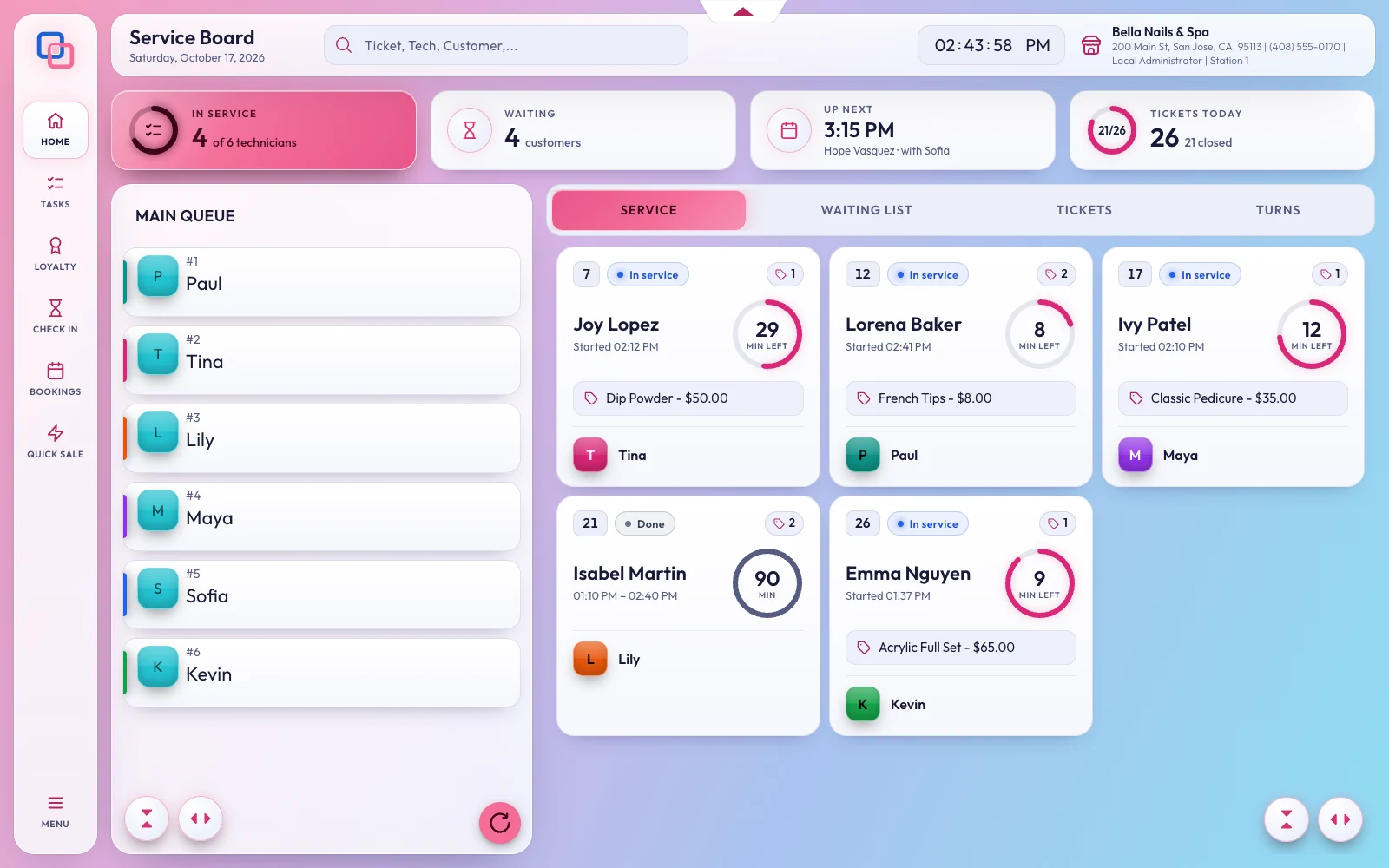
Staff and payroll

Payday without the calculator

Hours, commission, tips and pay worked out from the same tickets your front desk rings up, and pay stubs every technician can read on their phone.

Feature by feature

Every way your salon pays

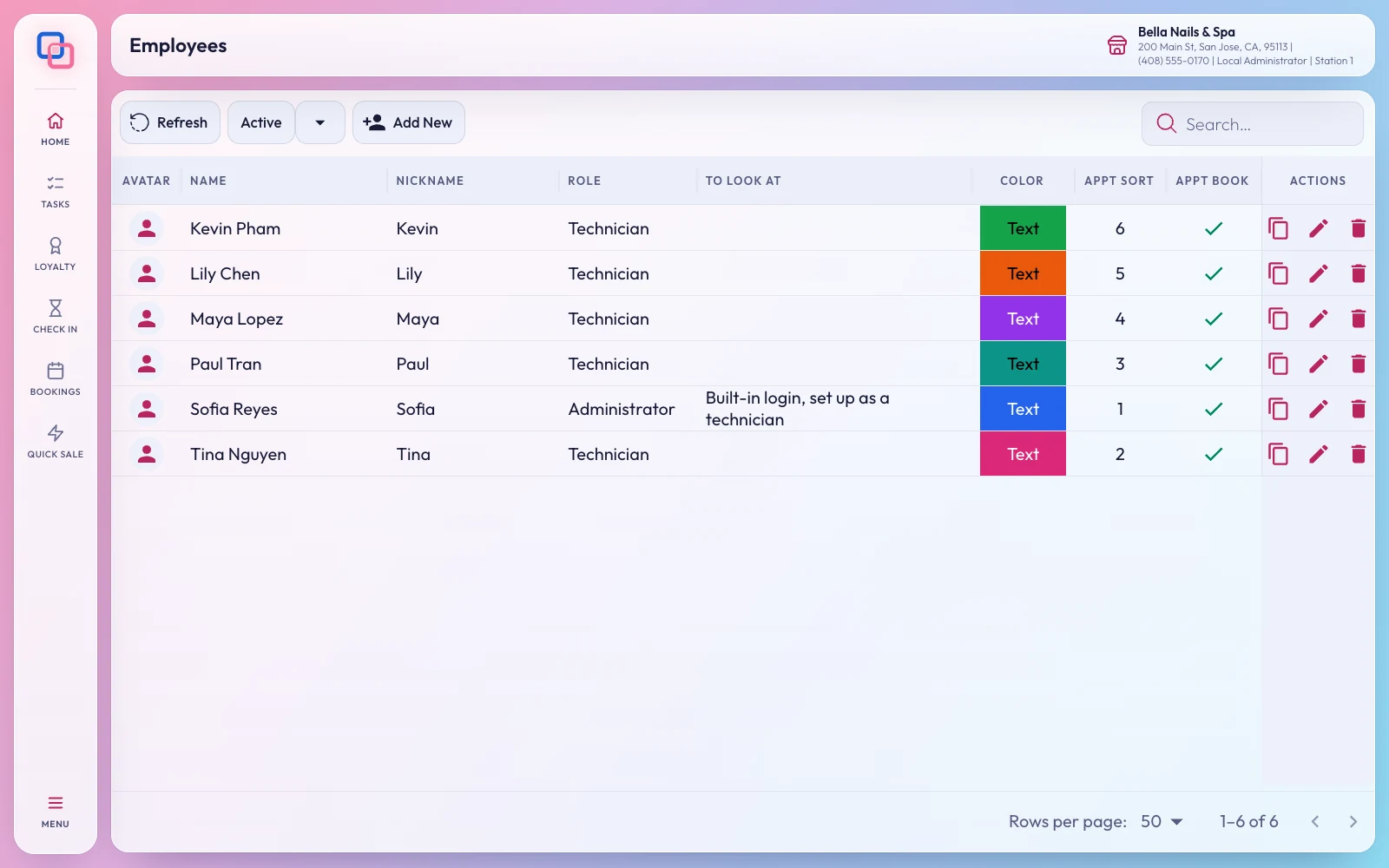
Roles, permissions and a PIN for everyone
Your team

Roles, permissions and a PIN for everyone

Give every employee the role they need, with permissions checked at the register and a PIN of their own.

  • Up to 50 roles per business
  • PINs stored safely, never in plain text
  • Job codes and colours on the board
Hours that count themselves
Time clock

Hours that count themselves

Clock in and out at the register or from the phone at the store, take breaks, and see regular and overtime hours on the timesheet.

  • Clock in from the phone, only at the store
  • Clock in others from the front desk
  • Clock Out All at the end of the day
Commission, tips, Pay 1 and Pay 2
Payroll

Commission, tips, Pay 1 and Pay 2

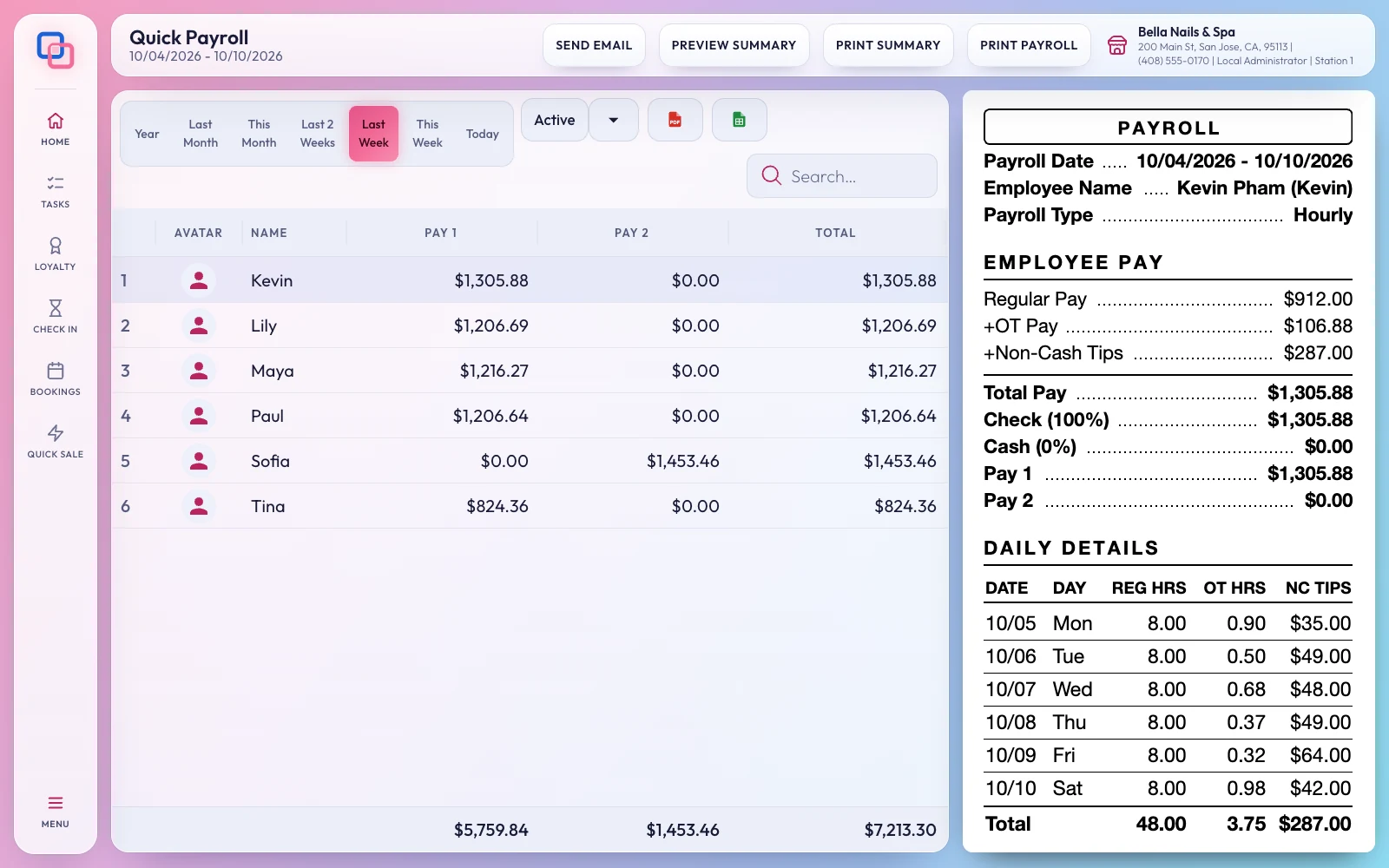
Commission on services and products, cash and non-cash tips, pay split between check and cash, supply charges and employee loans, for any pay period.

  • Quick Payroll slips, like the register prints them
  • The technician report: what each side owes
  • Weekly, every two weeks or twice a month
Technicians who know exactly what they made
Fair and clear

Technicians who know exactly what they made

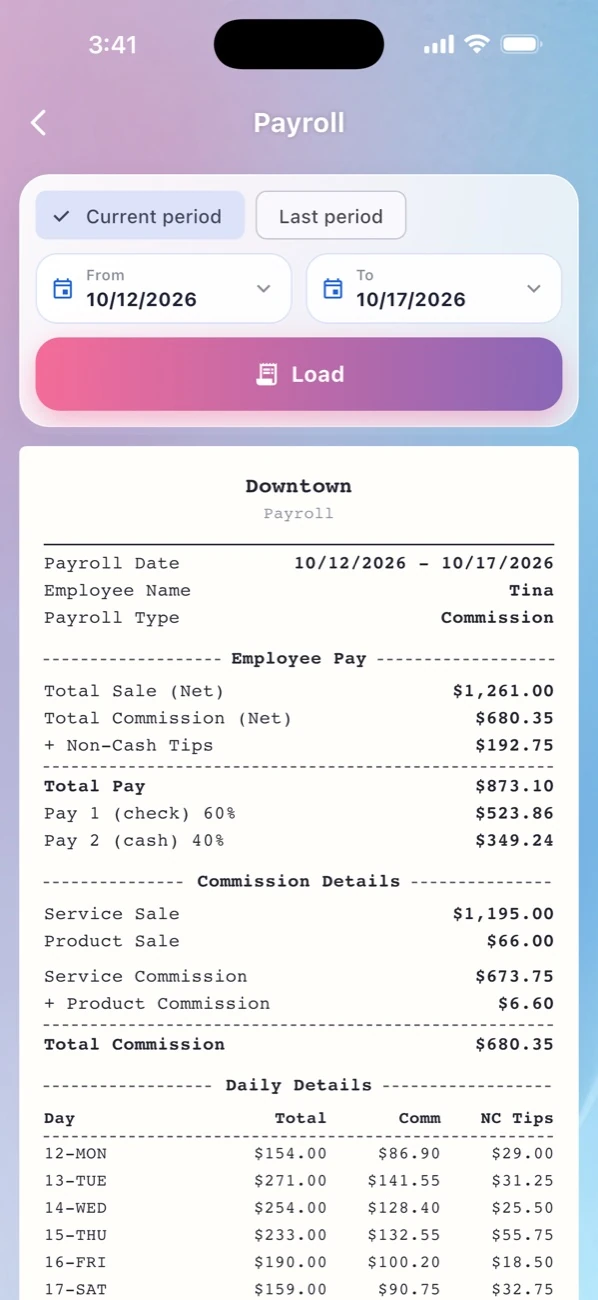
EraPOS Hub shows each technician their earnings as tickets close, and the same pay stubs the owner prints.

  • Sales, tips and commission for today
  • Work orders for any dates
  • You decide what staff see
EraPOS Hub
Requests, balances and approvals
Time off

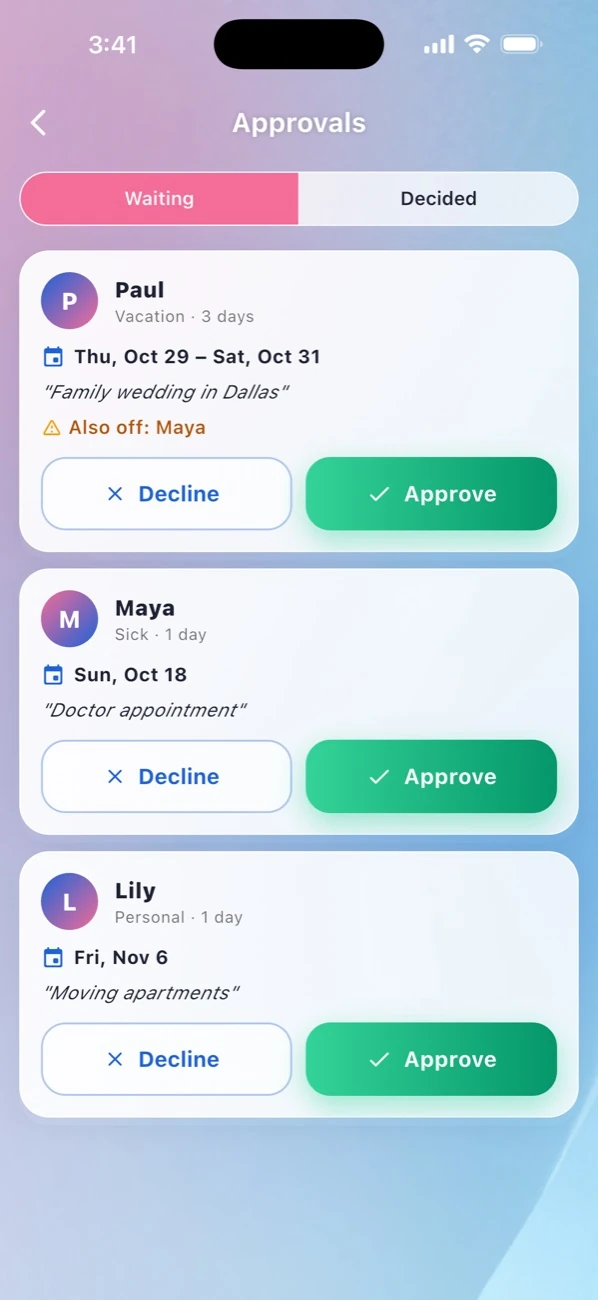
Requests, balances and approvals

Time off comes with balances and rules; owners approve from their phone and approved days are blocked in the book.

Also on payday

The details that add up

Recalculate a pay period When a rate, a commission plan or a check and cash split changes, recalculate a technician's period in one step.
Fees and withholding A daily maintenance fee and tax withheld on cash, set per employee, come off pay automatically.
Bonuses that count Bonuses and check or cash amounts typed on Payroll count in its figures and in the payroll you save.
Every clock-in change on record The timesheet keeps each change to a clock-in: from what, to what, by whom and when.
Nobody left clocked in At midnight in your time zone the day ends by itself, and anyone still clocked in is clocked out.
Questions

About payroll

No. EraPOS works out hours, commission, tips and pay and prints the slips; you pay your team the way you do today.

Yes: weekly, every two weeks or twice a month.

No. Clocking in from the phone works only at the store.

Make payday the easy day

Tell us how you pay your team, and we will explain how EraPOS works it out.

Powered by WBAMS