Appointments and online booking

A full book, without the phone tag

A colour-coded appointment book for the whole team, booking from your own website, and every technician's day on their phone.

Feature by feature

Every technician's day at a glance

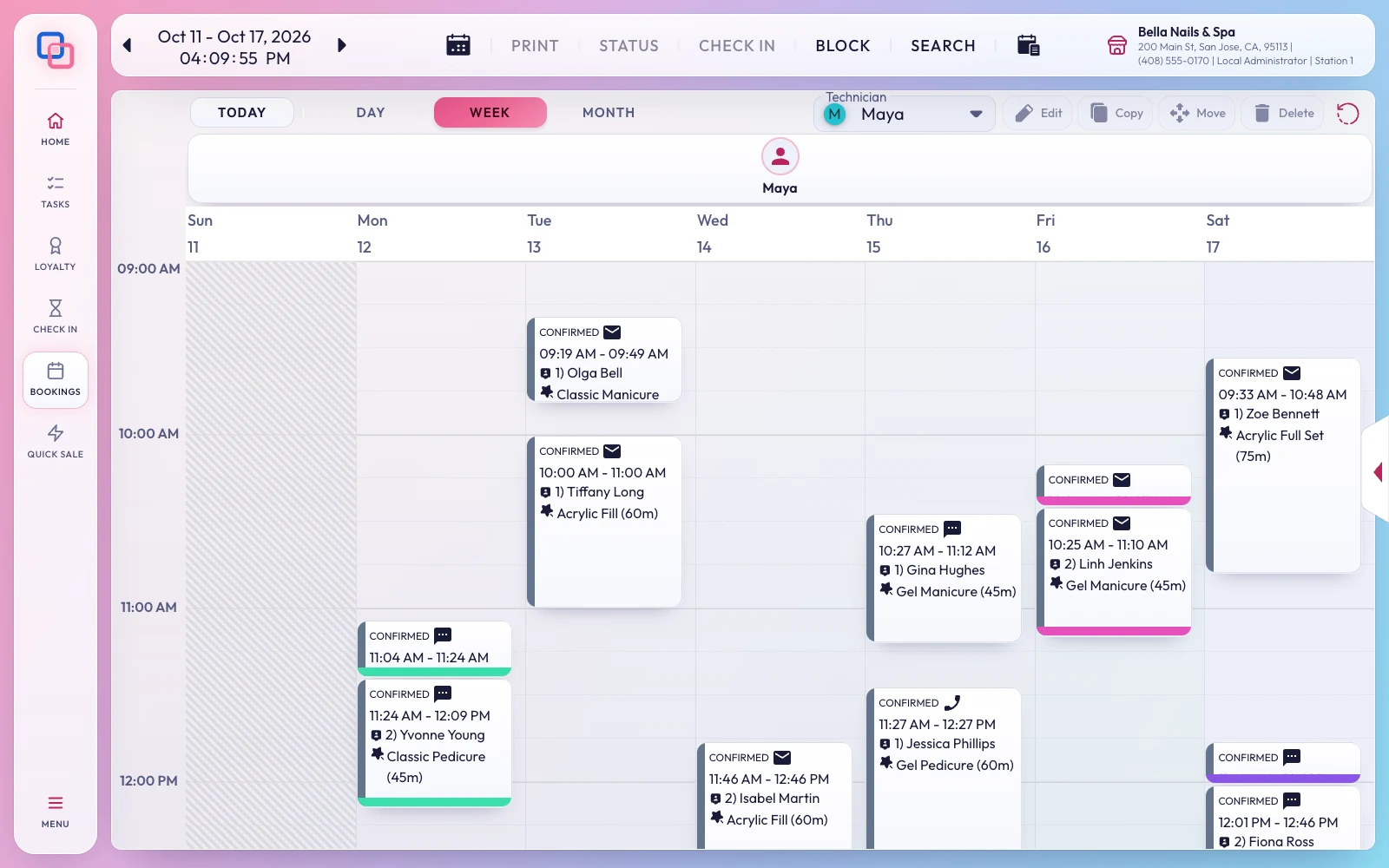
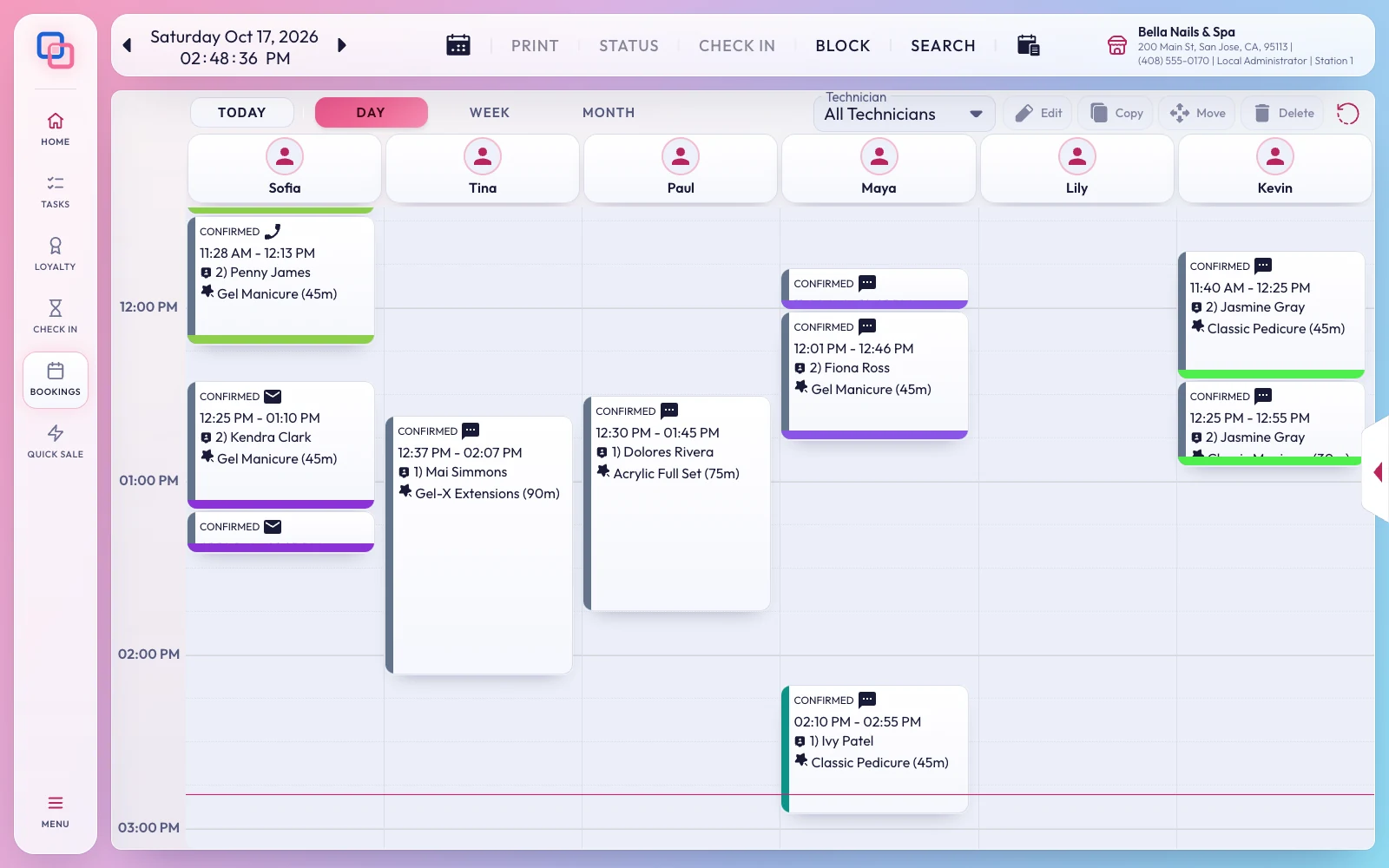
Side by side for every technician
The book

Side by side for every technician

Appointments in your colours and types, by day, week or month, with recurring appointments and blocked time for lunch, training or time off.

  • Check clients in from the book
  • Appointment types and colours you choose
  • Every change in the appointment log

One technician's week, in one tap
The book

One technician's week, in one tap

Pick a technician beside Day, Week and Month, and the book shows only their day, week or month. It stays on them as you move between days.

  • All Technicians brings everyone back
  • Bookings reopens on the day you left it
Clients book from your website
Online booking

Clients book from your website

Your website gets a Book Online page: clients pick a service, a technician or anyone available, and a time. The booking lands in your book and they get a confirmation email.

  • 15-minute slots, up to 45 days ahead, within your hours
  • Booked instantly, paid in the salon
  • Clients cancel up to an hour before
  • Reward points spent when they book
Reminders that bring them in
Text messages

Reminders that bring them in

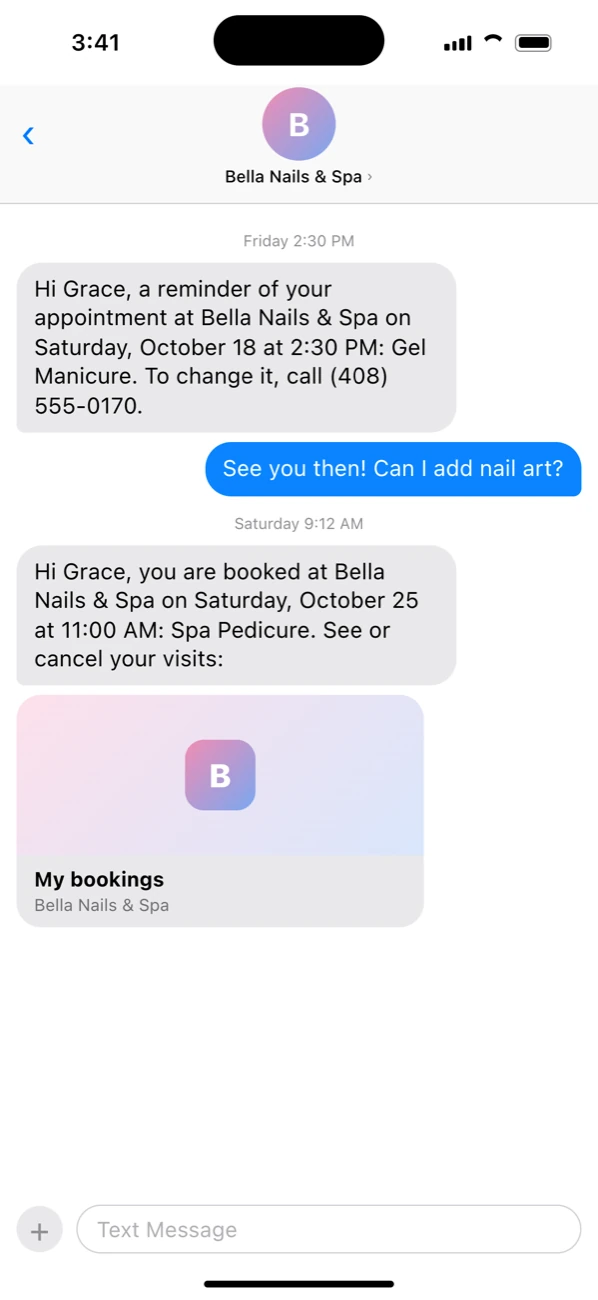
Clients get a text before their visit and a confirmation when they book online, in your own words. When they reply, the message appears at the register.

  • 2, 4, 12, 24 or 48 hours before, or not at all
  • Their name, day, time and services filled in
  • Booking confirmations with a link to see or cancel
  • Replying STOP ends their texts
  • Sent from your own Telnyx or Twilio number
Technicians run their own book
On the go

Technicians run their own book

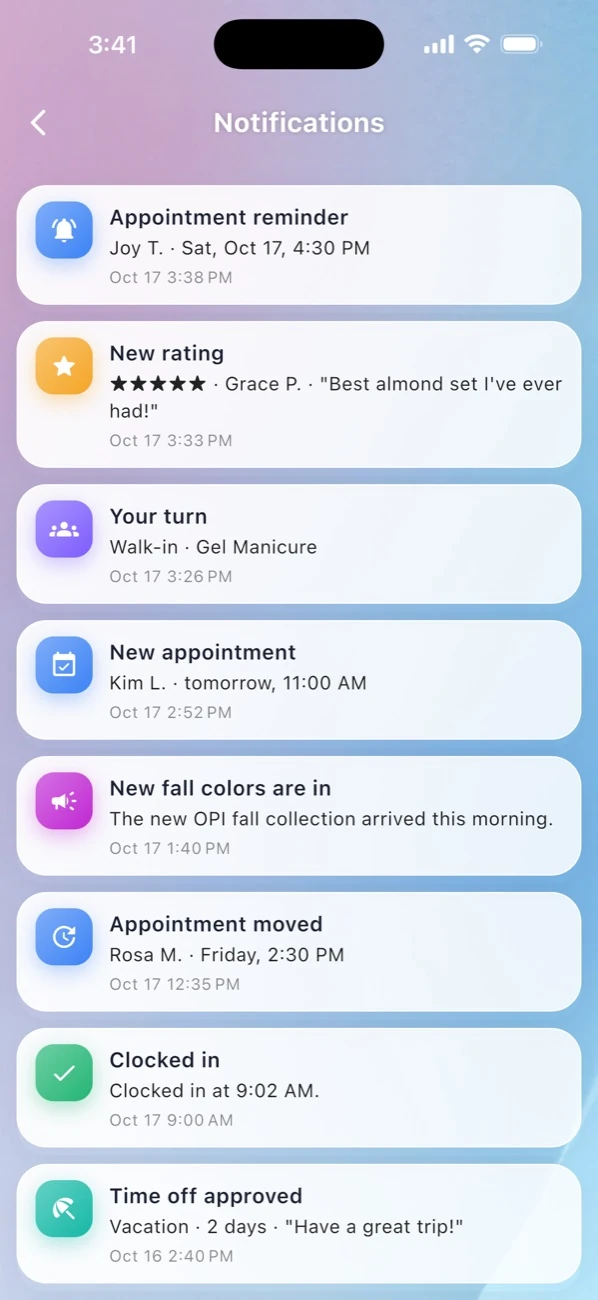
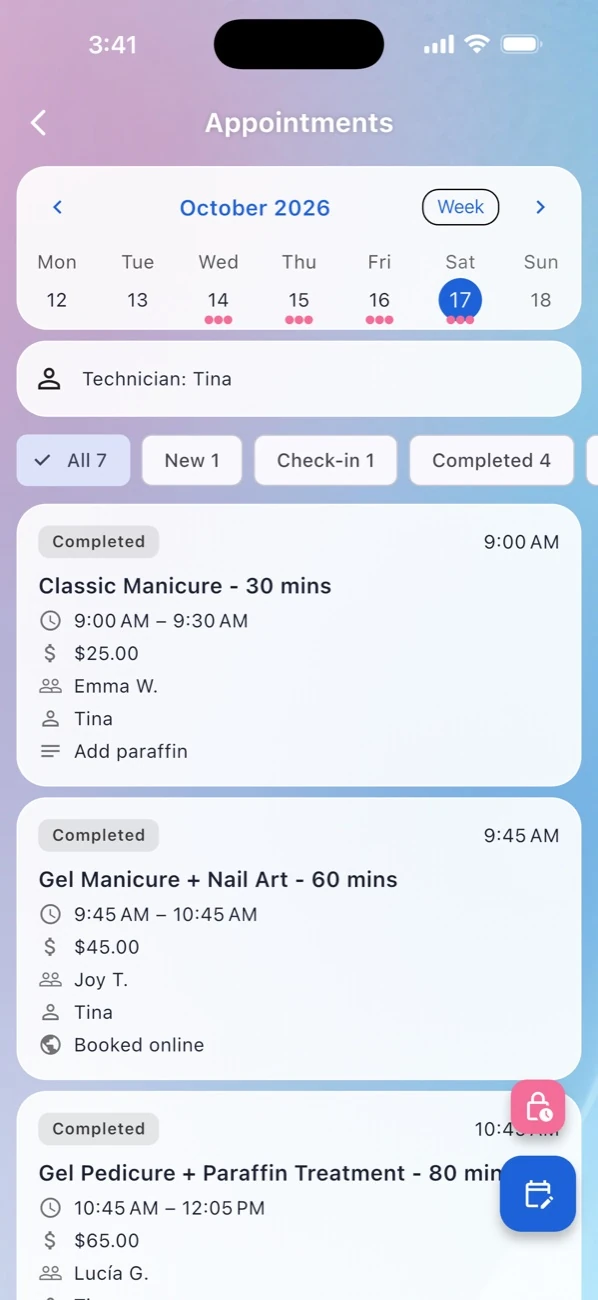
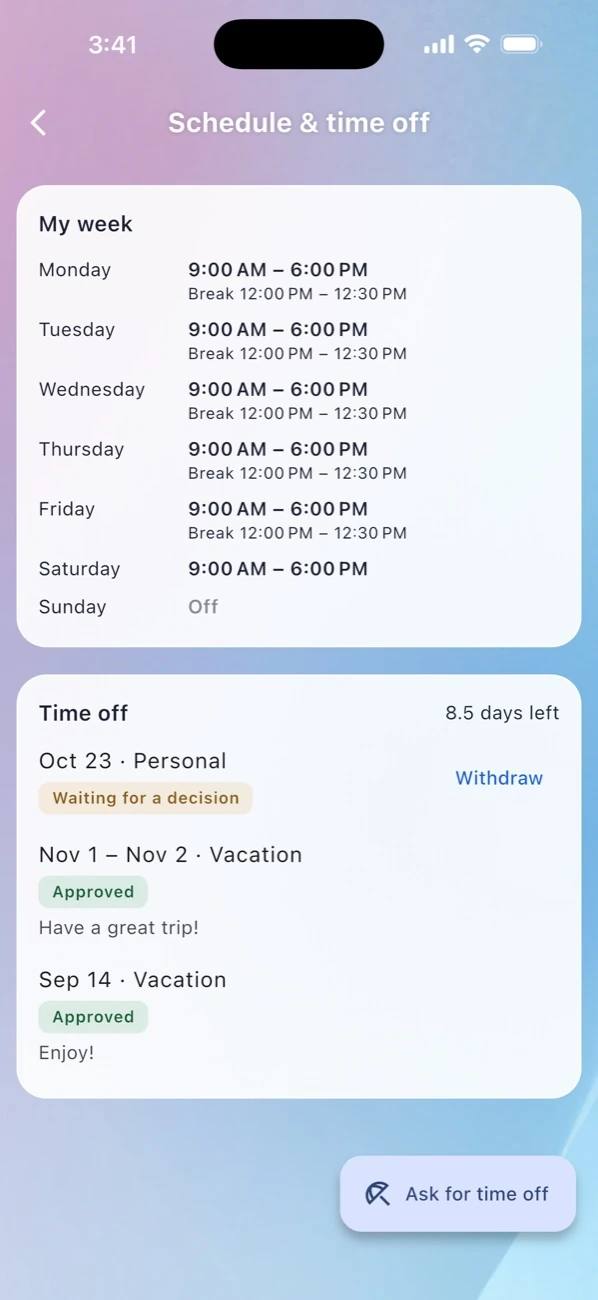
With EraPOS Hub, technicians see what is next, book a client, block time, and get a notification when a client books online.

  • Week and month at a glance
  • Owners move and reassign appointments
  • Approved time off blocks the book
EraPOS Hub
How online booking works

From your website to your front desk

  1. 01

    The client books

    On your website, signed in to their account: a service, a technician or anyone, and a time.

  2. 02

    They get an email

    A confirmation right away, and a cancellation email if plans change.

  3. 03

    It lands in the book

    Your front desk confirms or declines it, and the technician sees it in EraPOS Hub.

Questions

About appointments

Yes, clients sign in to your website to book, so you always know who is coming and how to reach them.

No. Online bookings are paid in the salon, at checkout.

Yes. They can pick a technician or let the salon choose.

Approved time off is blocked on the book and in online booking, so nobody books into it.

Fill your book, keep your evenings

Let clients book themselves while your team takes care of the ones in the chair.

Powered by WBAMS