

EraPOS takes cards on a Stripe Reader S700 or T600, or a Helcim Smart Terminal, through your own Stripe or Helcim account. The register sends the amount to the reader, the client pays and picks a tip there, and the payment lands on the ticket. Card payments need the internet; cash and other tenders do not.
Background
The reader is not plugged into the PC. It talks to its processor over the internet, and EraPOS tells it what to charge. Payments go through your own Stripe or Helcim account, at the rates you have with them. Helcim works in US and Canadian dollars only.
Card processing is connected once, with EraPOS support: we link your Stripe or Helcim account to your store and register each reader to a register (one reader can also serve every register that has none of its own). Have the reader in front of you. A Stripe reader gives a pairing code (on the reader, swipe in from the left, open Settings, enter the admin passcode and choose Generate pairing code); a Helcim terminal shows a four-character device code in API mode. When a reader has been assigned, wait a minute, then restart or reload that register.
How it fits together
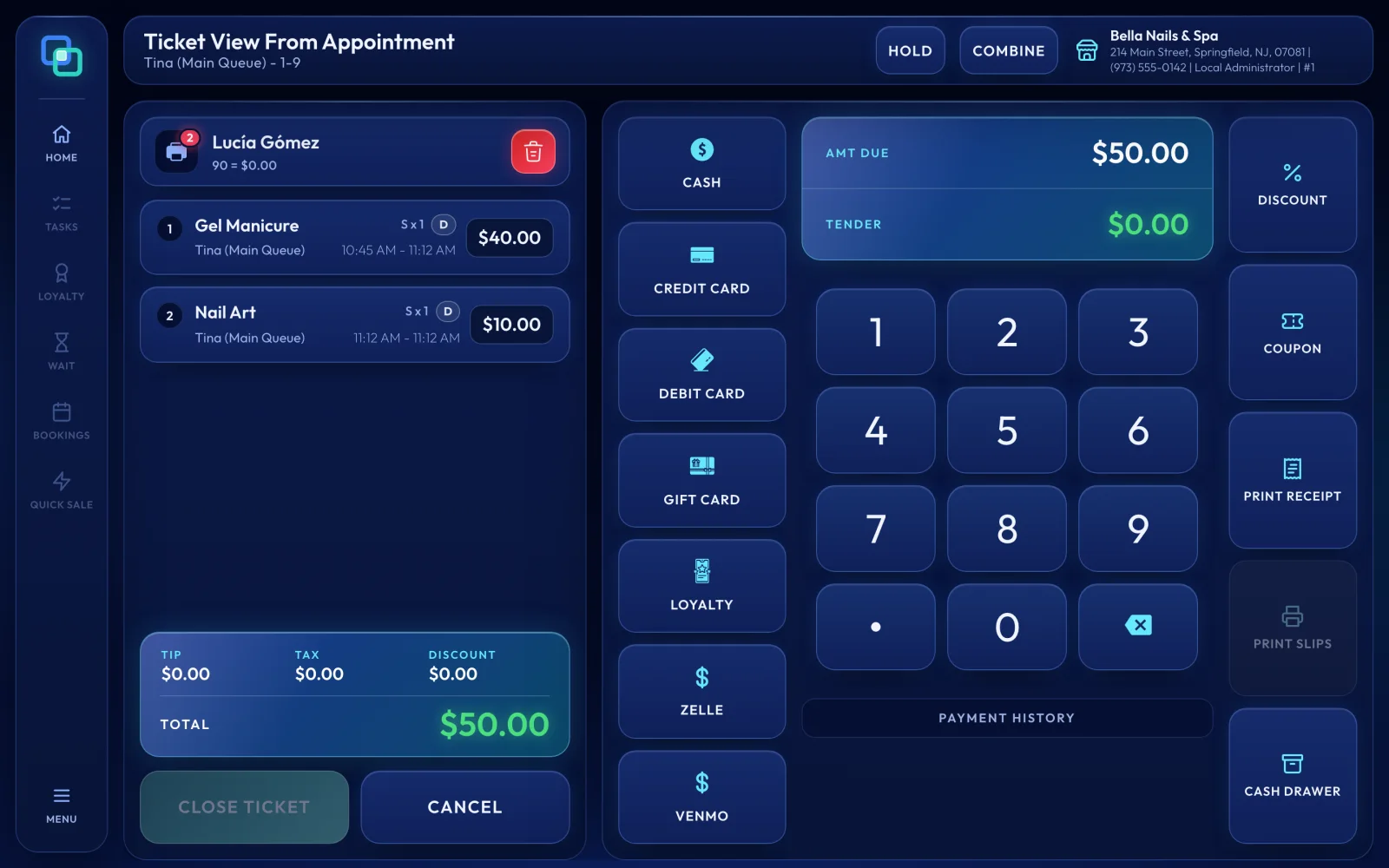
On the payment screen, press the card button (CREDIT). EraPOS charges the amount due, or the amount typed in TENDER for a split payment, and shows Processing payment and Please complete the transaction. while the client taps or inserts the card. Cancel payment stops it; a payment left waiting for five minutes is cancelled on its own. When the card is approved the dialog closes and the payment appears in PAYMENT HISTORY with the card brand and last four digits. A declined card shows the processor's reason, starting with Card reader:.
- Tips. A Stripe reader offers tip choices before the card (15%, 18% and 20% of the amount before tax unless your store's choices were changed). If a tip was already typed at the register, it does not ask. On a Helcim terminal, tipping is a setting on the terminal itself. A tip cannot be changed after the payment: remove the card payment and charge again.
- Refunds. Removing a card payment from PAYMENT HISTORY, or voiding the ticket, refunds it to the same card. A refund ticket cannot pay back to a card: open the original ticket and remove its card payment instead. Helcim Interac debit refunds are done on the Helcim terminal.
- Receipts. EraPOS keeps only the brand and the last four digits, never the card number. PRINT SLIPS prints the card slip.
- Batches. Stripe pays out by itself and Helcim closes its batch each day, so there is nothing to settle at close-out.
Note
Card payments go from the register to the store server, then over the internet to your processor, so they stop when the internet is down; there are no offline card payments. If the reader is off or unplugged, EraPOS says the terminal is offline. Take cash or another tender until it is back. Card readers work on every register, including registers opened in a web browser.
Further reading
- Ring up a ticket - the payment screen step by step
- Tips, discounts, gift cards, voids and refunds - splitting tips, voids and refunds
- Hardware checklist - what to have at the front desk
- Working offline - what keeps going when the internet drops

