

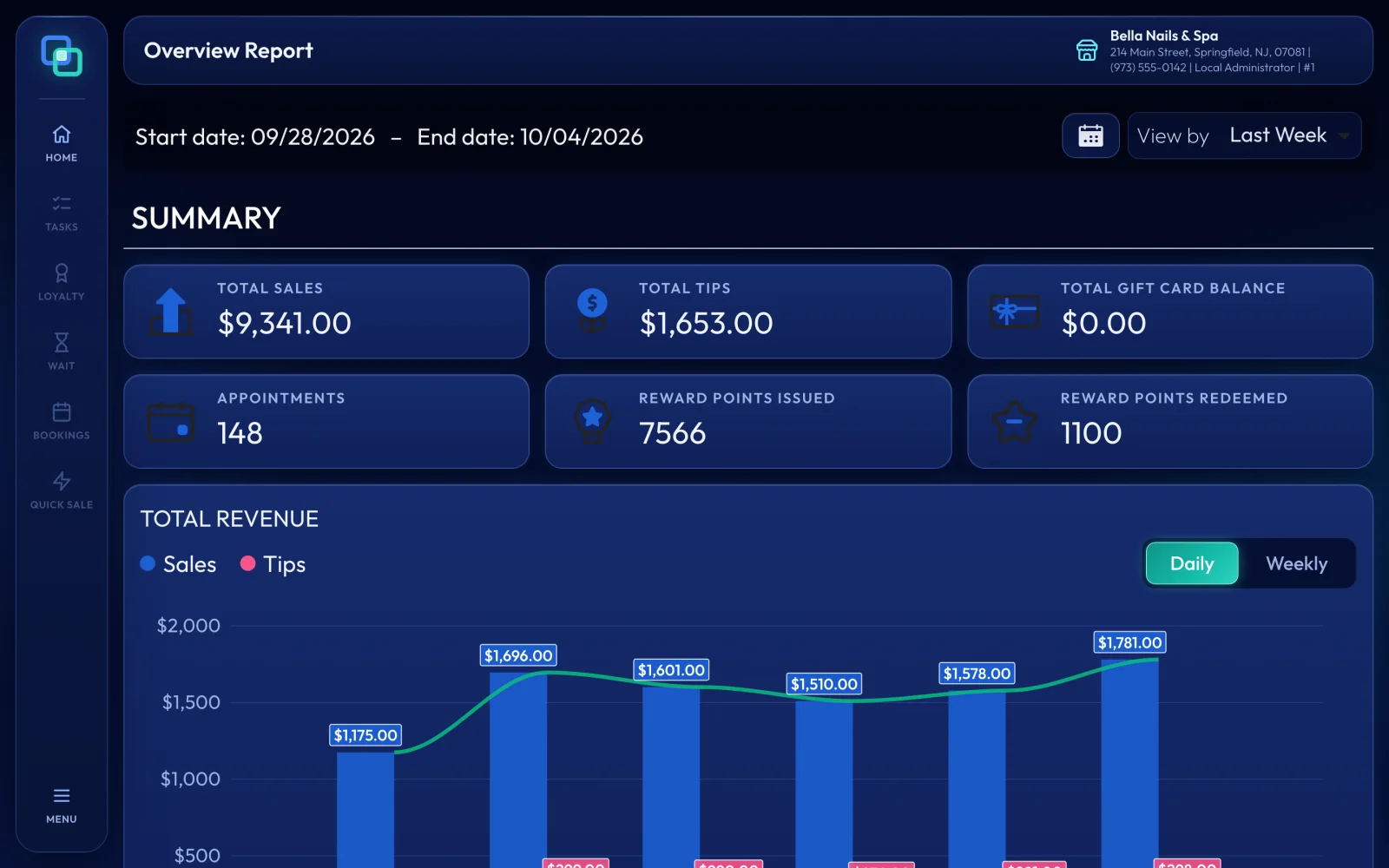
EraPOS has a report for each question an owner asks: Overview for the week at a glance, Sales for what sold and how it was paid, Employees for each person's sales and pay, and others for appointments, client visits, gift cards, loyalty, the waiting list and message credits. Find them all under MENU > Reports.
At a glance
| The question it answers | Export to PDF or Excel | |
|---|---|---|
| Overview | How is this week or month going? Sales, tips, gift card balance, appointments, reward points, revenue by day, payment types, new customers and payroll. | no |
| Sales | What sold, and how was it paid? Totals by day, category, product and service, gift card sales, refunds, discounts, voids and payment types. | yes |
| Employees | What did each employee sell and earn? Sales, service and retail details, commission, daily tips, payroll hours and appointments. | yes |
| Appointments | Who booked, confirmed online, cancelled or did not show? | yes |
| Customer Visit | Who came in, how often and for how much, and who was new or returning? | yes |
| Gift Cards | How many cards were sold and used, what balance is left and which cards were never used? | no |
| Loyalty | Which tickets earned or redeemed points, and how many? | yes |
| Waiting List | Who waited, when they were served and how many clients each technician took. | yes |
| Credit Usage | How many email and text message credits were used, and for what? | yes |
Our recommendation
Every evening, use Close out the day: it prints the day's sales and technician reports. Once a week, open Overview and compare this week with last week. Before payday, check the Employees report next to Run payroll. Once a month, run Sales for the month and export the Payment By Type and Total Sales tabs to Excel for your bookkeeper. Use Customer Visit to see how many clients come back.
Most reports open on today: choose the From and To dates and press Run Report. Overview opens on this week and changes as soon as you pick other dates. Sales covers up to six months at a time; most other reports cover up to a year.
Note
Reports show your whole business, so they open only with the password of an employee with full access, such as the owner. Staff who need their own numbers can see today's earnings and pay stubs in EraPOS Hub instead.
Related
- Close out the day - the end-of-day reports
- Run payroll - pay slips and payroll summaries
- Cash in and out, Cash Float and Cash View - the cash screens and the drawer
- EraPOS Hub for owners - the store report on your phone

